
Every meeting, in your language.
Live translation and meeting notes in 90+ languages. No bots, no plugins, nothing to install.
No credit card required • No bots • Completely private
Works with:



Zoom, Google Meet, Microsoft Teams, Webex, Slack, Discord, and more — no plugins required.
90+ languages supported — change anytime during a meeting
Used by teams at




Language is still the biggest gap in global meetings
89% of professionals collaborate in global virtual teams.
* Harvard Business Review
70% of executives face daily operational challenges due to language barriers.
* DeepL research
62% work with colleagues from three or more cultures.
* Harvard Business Review
How it works
Set your language once
During setup, choose the language you want to read meetings in. Localingo uses it as your default every time — you can adjust it in any meeting.
Join your meeting as usual
Open Localingo alongside any meeting app — Zoom, Teams, Meet, or wherever. No plugins, no installs.
Get live captions, translation, and notes — in your language
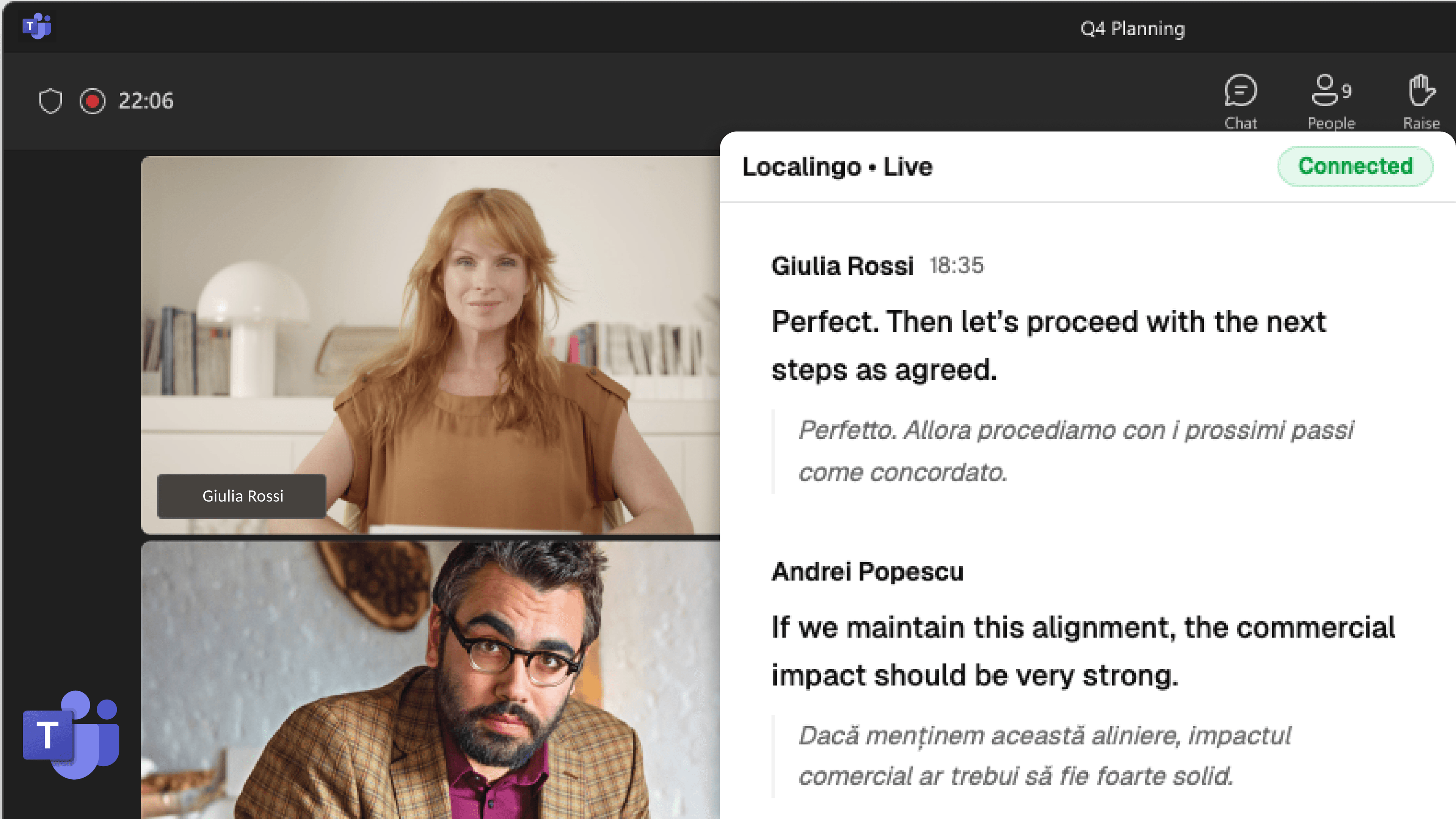
Localingo transcribes your meeting automatically. Everything is translated into your language in real time, with notes and history saved alongside.
Already have a transcript? Translate it free →
What happens when you use Localingo
Most global meetings run in one dominant language. Localingo helps you follow in yours.
Every word, in your language as it's spoken
Your meeting is transcribed and translated into your language in real time, across 90+ languages — so you follow every word as it happens, not a delayed summary.
Meaning preserved, not just words converted.
Most translation converts words. Localingo translates meaning — tone, industry context, and cultural nuance.
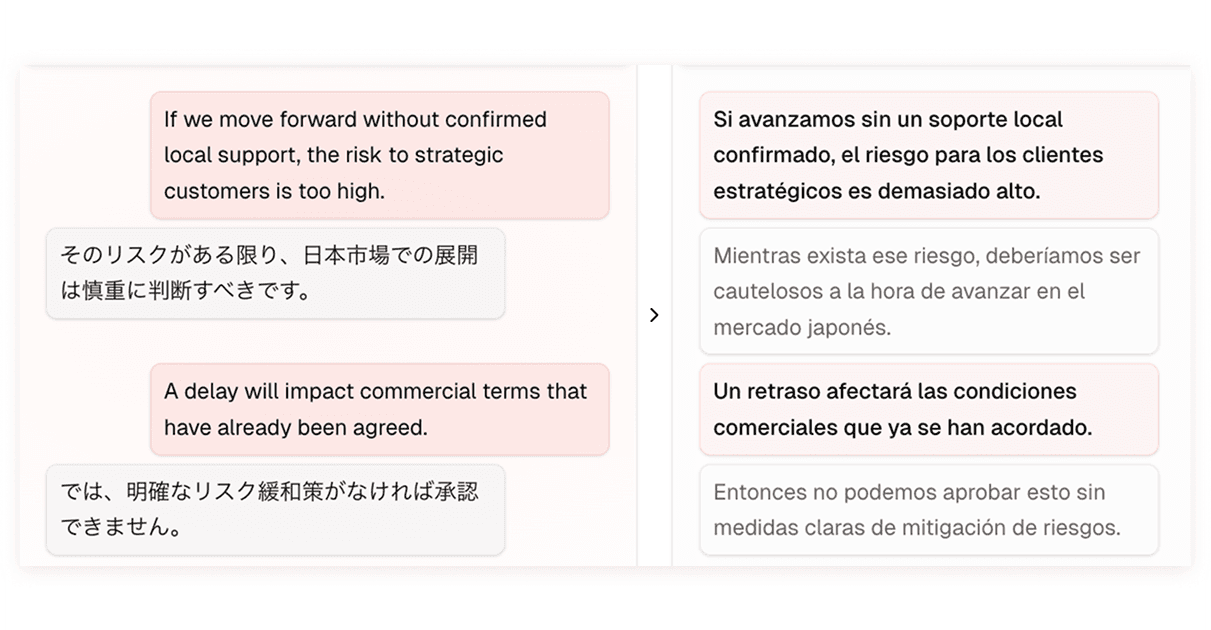
Works with all meeting apps. No meeting bots.
No installs, no plugins — open it alongside any meeting app and it just works. No bot joins the call, and everything stays private to you.
Simple pricing
Free
$0
Try Localingo in your day to day meetings
- Live captions
- Translation: 20 minutes / month
- 90+ languages
- 7-day meeting history
- Meeting notes
- Opt out of model training
- AI Chat across your meetingsComing soon
- AI-generated notesComing soon
Frequently asked questions
What does Localingo do?
Localingo is an AI meeting workspace that gives you live captions, real-time translation, and meeting notes — all in your language, running alongside your existing meeting apps. No plugins or installs required.
How does real-time translation work during meetings?
As people speak, Localingo transcribes and translates the conversation into your language within seconds — so you can follow every meeting without switching apps or waiting for a summary.
Does Localingo take meeting notes?
Yes. You can take notes during the meeting and pin specific captions for reference. Every meeting is saved to your history with the full transcript and your notes, so you can return to any conversation later.
What platforms does Localingo support?
Localingo works alongside any meeting app — browser-based or desktop. Using picture-in-picture mode, captions and translations stay visible even when you switch tabs, windows, or applications.
Which languages does Localingo support?
Localingo currently supports more than 90 languages, with additional languages being added continuously.
Can I use Localingo with desktop meeting apps?
Yes. Localingo runs in picture-in-picture mode, so live captions and translations stay on screen while you use desktop apps like Zoom, Teams, or Meet.
How accurate is the translation?
Accuracy depends on the language pair and context. Localingo is designed to preserve meaning, tone, and cultural nuance — not just literal wording — and is continuously improved with domain-specific and contextual enhancements.
Can I change my translation language mid-meeting?
Yes. Your preferred language is set once during onboarding and used as the default, but you can switch your translation language at any point during a meeting.
Do I need to install anything?
No. Localingo runs in the browser with no downloads or plugins required. Guests can follow a meeting via a shared link without signing up.
Is Localingo suitable for professional or high-stakes meetings?
Yes. Localingo is built for professional environments and is continuously refined to handle industry terminology, formal communication, and culturally sensitive language.
Does Localingo send a bot into my meeting?
No. Localingo runs entirely in your browser — no bot joins your call, and your captions, notes, and meeting history are private to you.
Is my meeting data secure?
Yes. Localingo uses industry-standard security practices. Our systems and vendors comply with GDPR, UK GDPR, and CPRA, and we have a clear path toward SOC 2 compliance.
Can I try Localingo for free?
Yes. The free tier includes live captions, meeting notes, 7-day meeting history, and 20 minutes of translation per month — no credit card required. Upgrade to Pro when you need unlimited translation.